Reads live chart context
Chart state, price, recent bars, indicators and visual evidence are checked before analysis.
 AI
AI
GEDTech AI AGENTIC TRADING INTELLIGENCE
GEDTech Agent is our flagship Agentic AI trading assistant. It reads live TradingView charts, structures risk-defined scenarios, draws levels, tags setups and creates intelligent alerts. Its AI trading coach is designed to keep your trading disciplined, reduce noise and explain the logic behind every setup and decision.
What you need to get startedGEDTech Agent works beside the trader on the live chart. It evaluates price action and context, turns observations into conditional scenarios, maps invalidation and targets, and watches for the conditions that matter.
It is decision support, not an execution bot. You review the reasoning, choose whether to act and remain responsible for every broker decision.
GEDTech Agent turns live chart context into a setup you can inspect. Conditions, invalidation, targets and the reason behind the idea remain visible before you decide.
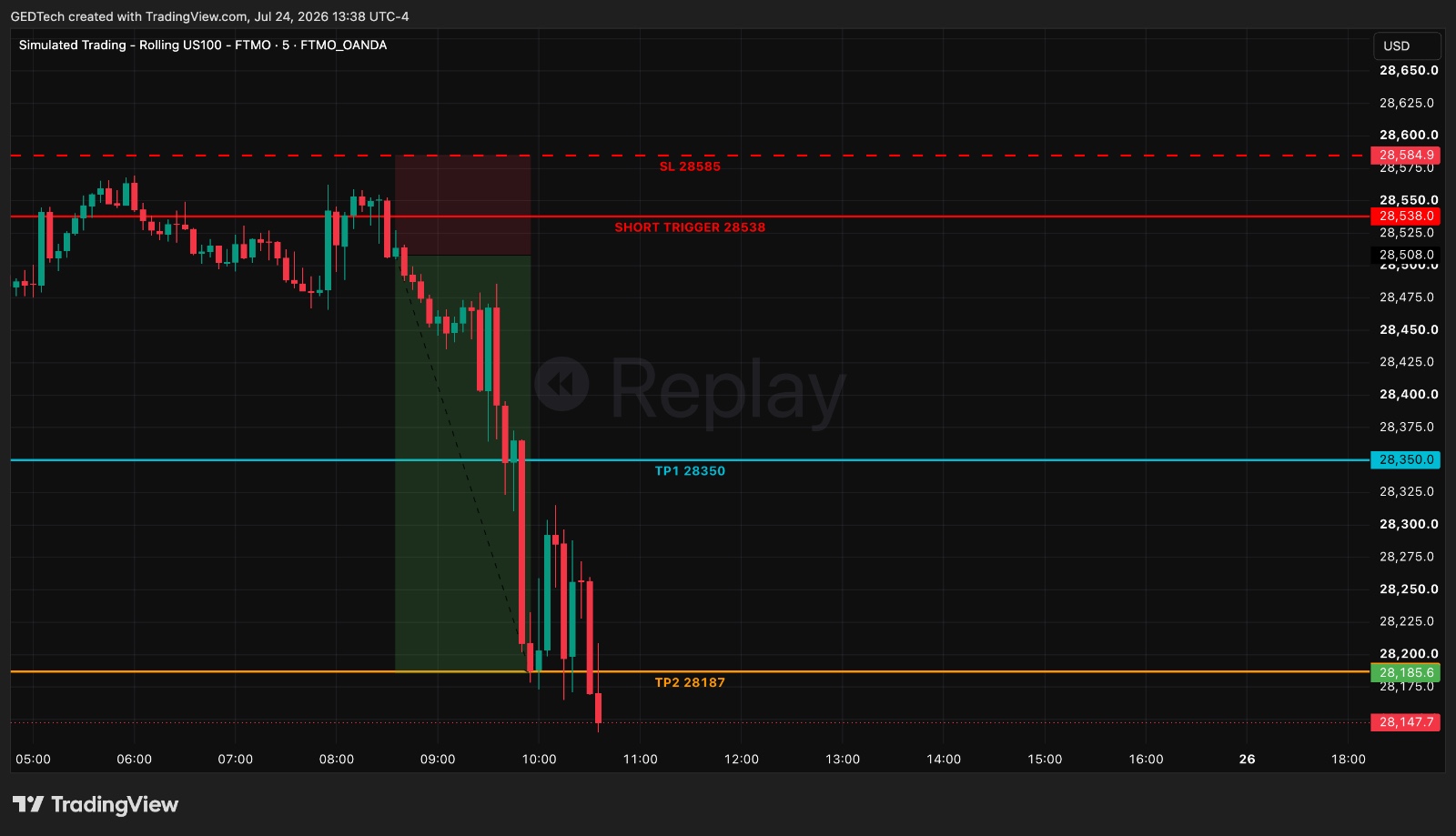 VIEW FULL SETUP ↗
A complete short scenario mapped directly on the live TradingView chart.
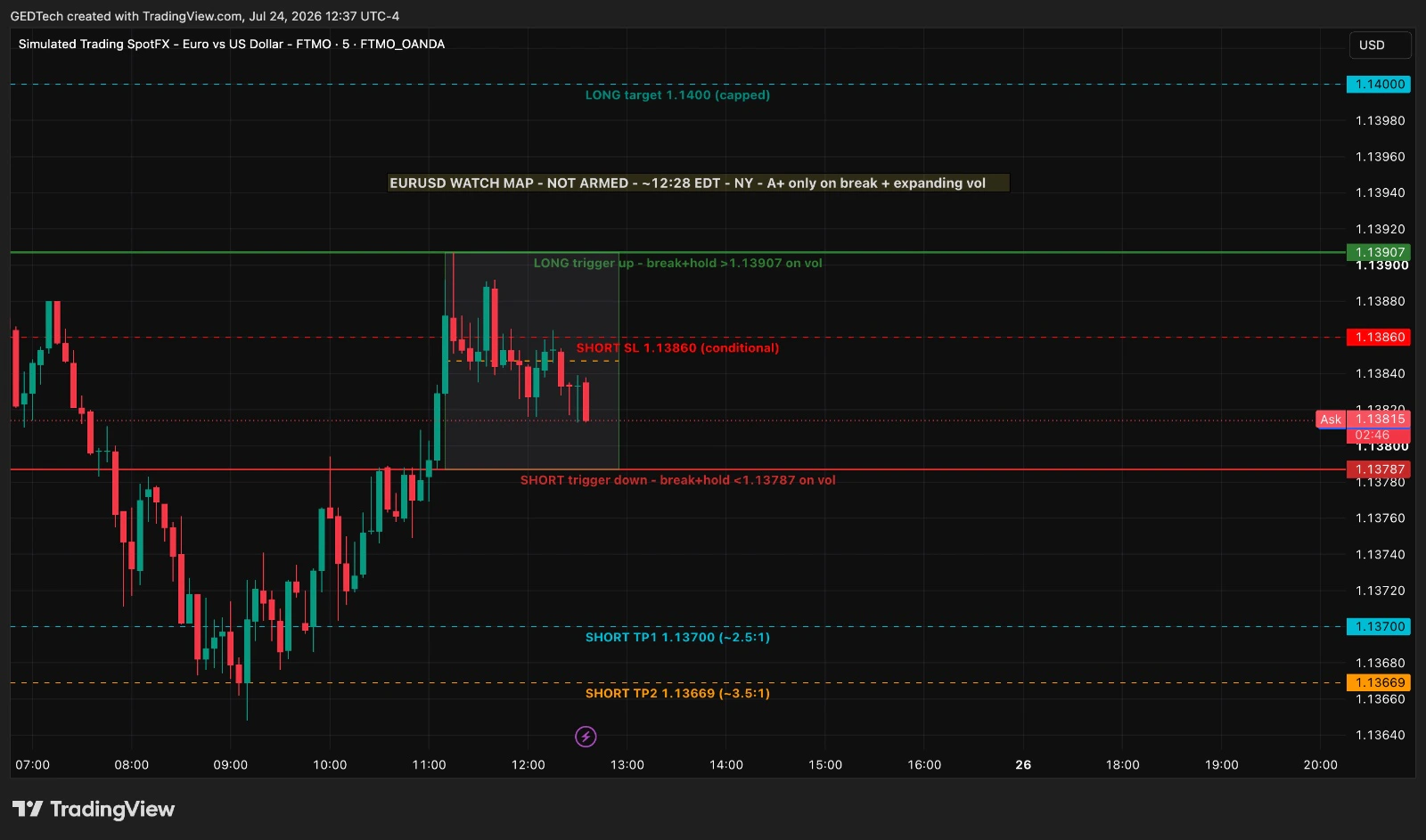 VIEW FULL SETUP ↗
Both directions structured before activation, with clear conditions and boundaries.
Actual setup examples produced by GEDTech Agent. Examples are illustrative and are not a promise of trading results.
Chart state, price, recent bars, indicators and visual evidence are checked before analysis.
Scenarios include conditions, invalidation and risk before potential reward is discussed.
Mark levels directly on TradingView and create alerts for the conditions that matter.
The agent supports manual decisions. It does not place, close or modify broker orders.
SUBSCRIPTION ACCESS
Subscribe for $200 per month or $2,160 per year. Your hosted Agent, one-device license, and both Windows and macOS desktop apps are included.
GEDTech Agent is designed to reduce chart noise without taking control away from the trader.
A repeatable workflow keeps the analysis useful and keeps execution in your hands.
CONNECT
ASK
REVIEW
DECIDE
GEDTech AI Agent works with Claude and TradingView to enhance your existing trading workflow through AI-driven intelligence and chart-based technical analysis.
Claude supports GEDTech’s AI-driven market research, trade-plan generation, setup analysis, and journaling support.
Claude Pro: $20 USD / monthWhen billed monthly. Local pricing and taxes may vary.
View Claude plansInstall TradingView Desktop on your Mac and sign in to your TradingView account. GEDTech connects to the desktop app for chart setups, price-action analysis, technical indicators and trade validation.
Start with TradingView Basic — freeA free Basic account is enough to get started.
Download TradingView DesktopSeparate from your GEDTech subscription. Claude and TradingView are third-party platforms. Their subscriptions are managed separately and are not included in GEDTech AI Agent pricing.
Both plans include the complete GEDTech Agent experience, product updates and access for one licensed device.
Requires a separate paid Claude subscription and the TradingView Desktop app with a TradingView account (Basic is free). See what you need ↗
$200 / month
Billed monthly. Cancel future renewals through your billing account.
$2,160 / year
Equivalent to $180 per month. Save $240 across the year.
GEDTech Agent provides analytical assistance and decision support. It does not guarantee trading outcomes and does not execute broker orders.
GEDTech AI / CONTACT
Send a message to the GEDTech team about the Agent, technical support, partnerships or anything else. We will reply by email.